 aigenerator
Tell a 45-second microfilm story in six shots
A microfilm can feel complete with one location, two people and one object that matters. This exercise plans a 45-second film about a barbershop closing for the night. It is built from several generated clips and a manual edit. The objective is a beginning, a change and an ending—not a collection of unrelated cinematic images.
A microfilm can feel complete with one location, two people and one object that matters. This exercise plans a 45-second film about a barbershop closing for the night. It is built from several generated clips and a manual edit. The objective is a beginning, a change and an ending—not a collection of unrelated cinematic images.
1. Give the scene a reason to end
The last customer notices that the barber has packed away an old photograph. He silently returns it to the mirror. The barber looks at the picture and leaves it there. This action carries the story without requiring exact lip sync.
Prepare a location reference with a chair, mirror, photograph and warm practical lights. Write a continuity note for the two adult characters, their clothes and the photograph’s position. Use images you can legally upload. Avoid asking the generator to reproduce a recognizable actor.
2. Make an economical shot list
| Shot | Story purpose | Target edit length |
|---|---|---|
| Empty street and lit window | Establish closing time | 5 seconds |
| Barber folding a towel | Establish routine | 8 seconds |
| Customer notices the photo | Introduce the change | 8 seconds |
| Hand returns the photo | Show the decision | 8 seconds |
| Barber’s reaction | Resolve the emotion | 10 seconds |
| Light reflected in the empty chair | Closing image | 6 seconds |
The total is an editing plan. Actual generation durations depend on the model; you may need to trim clips or use more than one attempt for a shot. The delicate hand action is the highest-risk shot, so test it before the establishing view.
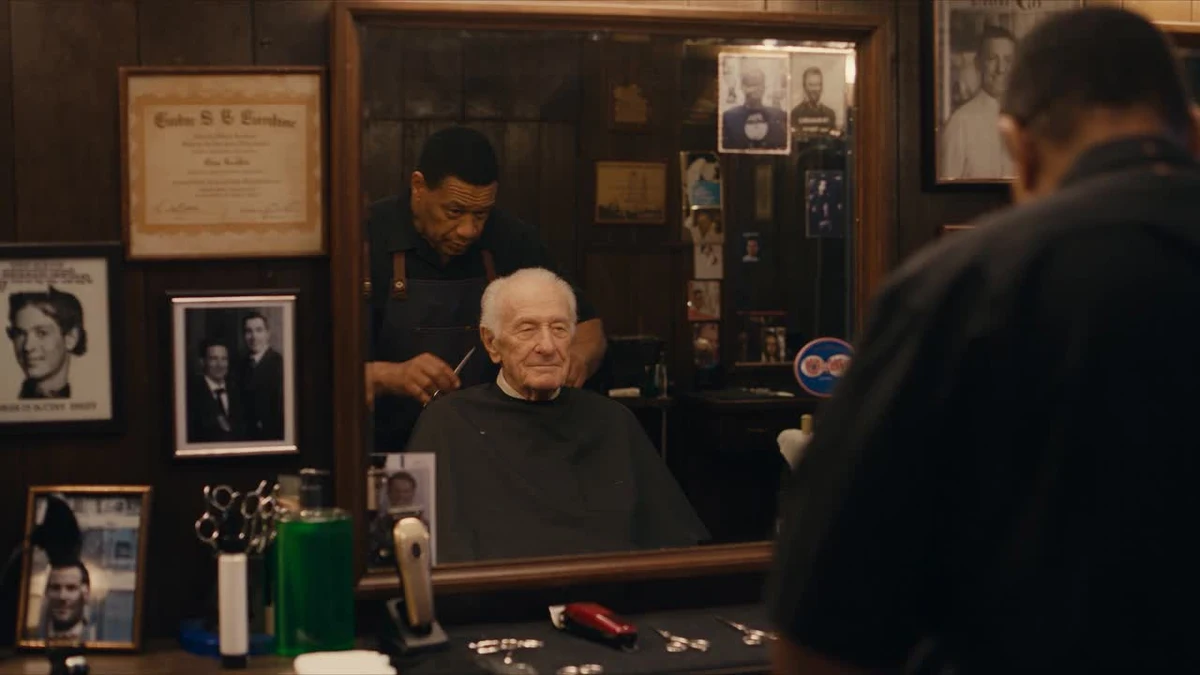
Official Seedance barbershop-demo poster used as a mood reference. The story and shot list here are an editorial exercise.
3. Generate the decisive action simply
Use the microfilm workspace, an available model and a consistent output ratio. Select a reference that clearly shows the object and the surface it rests on.
Close-up in an old neighborhood barbershop. An adult customer's hand gently places a small framed photograph on the wooden ledge beneath the mirror, then withdraws. Warm tungsten light, worn wood, quiet evening atmosphere. The camera remains still. One simple action, realistic contact with the ledge, shallow depth of field.
If contact with the surface looks wrong, replace the action with two simpler shots: a hand holding the frame, then the frame already resting on the ledge. An edit can communicate the action without showing every millisecond.
4. Make the separate clips feel like one place
Keep the light direction, wall color, camera height and furniture description consistent. Generate the reaction using the same reference set and time of day. Download accepted shots before moving to another setup. Name files by shot number and take, for example film_04_photo_take02.
In the editor, establish the room’s geography before cutting close. Let the reaction breathe. Add licensed ambience, a restrained music cue or your own recorded room tone. Do not use a loud transition to disguise a continuity problem; it usually makes the cut more noticeable.
5. Finish with three review passes
First watch for story: can a new viewer explain what changed? Next watch only the image: check hands, reflections, object placement and color. Finally listen without looking: check abrupt noise changes and whether the soundtrack overwhelms the mood.
Record the quoted credits of every attempt and the duration of usable footage. If spending grows, reduce shot count before increasing output resolution. Export the aspect ratio the story was framed for; create a separate crop for a vertical teaser rather than cutting important action off the sides.
Sources & verification
- Seedance 2.5 — official demos ↗ · checked 2026-11-05
- MiniMax — text-to-video API documentation ↗ · checked 2026-11-05
- Volcengine — video generation API documentation ↗ · checked 2026-11-05
Product details can change. Source verification is separate from hands-on testing.