 aigenerator
Build a 20-second music video around the chorus
For a first AI music video, work on a 20-second chorus excerpt, not an entire song. Generate visual phrases that you can cut to your music. This walkthrough uses a rooftop performance concept, but the same method works for abstract lyric visuals or an atmospheric instrumental.
For a first AI music video, work on a 20-second chorus excerpt, not an entire song. Generate visual phrases that you can cut to your music. This walkthrough uses a rooftop performance concept, but the same method works for abstract lyric visuals or an atmospheric instrumental.
1. Mark the musical structure
Use a track you own or have licensed. Import it into an editor and mark the chorus entrance, two strong accents and the final beat. You do not need to calculate a perfect BPM grid to begin: listen for changes that deserve a new image. Write the emotional progression as three words, such as “anticipation → release → stillness.”
The current workspace generates individual clips. It does not accept your song as a timing reference or automatically create lip sync, so plan the musical alignment in the edit.
2. Create a visual rulebook
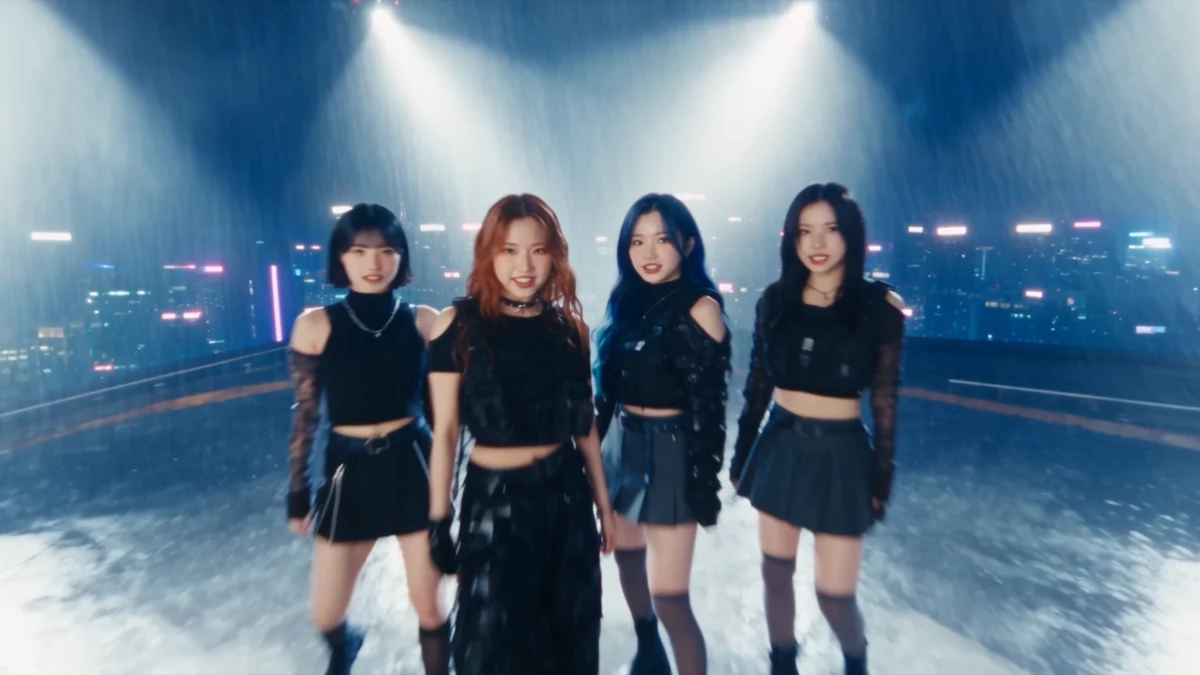
Choose a wardrobe, place, time of day and color palette. A compact rulebook might read: four adult performers, dark clothing, rooftop at night, cool blue city light and warm spotlights. Reuse that paragraph in every prompt. Keep performers small in wide shots if detailed facial continuity is not essential.
Official Seedance demo frame used for visual reference; it does not demonstrate automatic music synchronization in this workspace.
| Musical moment | Planned image | Editing choice |
|---|---|---|
| Chorus entrance | Wide rooftop reveal | Cut on the first strong beat |
| First accent | Medium performance shot | Use the clearest movement |
| Second accent | Detail of shoes or hands | Brief insert rather than a new location |
| Final beat | Wide silhouette | Hold or fade with the music |
3. Generate movement that can be edited
Open the music-video workspace. Choose an available model and a landscape ratio for a conventional MV, or plan a separate vertical version. Use a reference image when character or wardrobe continuity matters. Select a supported duration long enough to contain one clear motion.
Four adult performers in dark stagewear stand on a rooftop at night. Warm spotlights separate them from a cool blue city skyline. They take one coordinated step forward and lift their arms. The camera slowly moves sideways in a medium-wide shot. Restrained choreography, realistic body proportions, cinematic music-video lighting.
Keep choreography simple. “Fast dancing, spinning, jumping and six camera cuts” makes it harder to isolate why a result failed. Generate the wide shot first, then make an insert with the same lighting and wardrobe description.
4. Cut to the song, not the other way around
Download the shots and place them over the existing audio markers. Move the cut point until the image change feels intentional. A useful motion can be shorter than its generated clip; remove dead time at the start. Try a straight cut before adding transitions. Use restrained speed adjustments only if motion remains natural.
If the model supplies audio, mute it unless it serves the edit and you have checked the track’s rights. Add lyric text as an editor overlay, keeping lines short enough to read at actual playback speed.
5. Repair consistency without regenerating everything
| Symptom | Practical response |
|---|---|
| Faces drift between shots | Use a wider crop or a detail insert; improve the shared reference for the next attempt |
| Movement misses an accent | Change the edit point before regenerating |
| Hands look unstable | Shorten the usable section or choose a shot without complex hand motion |
| Colors jump between clips | Apply a modest matching grade in the editor |
Save both a clean master and a captioned version. Listen through headphones and phone speakers. Watch once with sound off: the sequence should still have visual progression. Record credit spend by accepted shot and keep the original soundtrack license with the project.
Sources & verification
- Seedance 2.5 — official demos ↗ · checked 2026-11-05
- MiniMax — text-to-video API documentation ↗ · checked 2026-11-05
- Volcengine — video generation API documentation ↗ · checked 2026-11-05
Product details can change. Source verification is separate from hands-on testing.