 aigenerator
Create two story branches for an interactive AI video
An interactive video needs a clear choice and a consequence the viewer can recognize. Begin with a two-branch mystery: inspect an envelope or follow a noise outside. You will generate three ordinary video files—a shared opening and two outcomes—then connect them in an external player or interactive authoring tool.
An interactive video needs a clear choice and a consequence the viewer can recognize. Begin with a two-branch mystery: inspect an envelope or follow a noise outside. You will generate three ordinary video files—a shared opening and two outcomes—then connect them in an external player or interactive authoring tool.
1. Draw the smallest useful story map
opening.mp4
  ├─ Inspect the envelope → branch-a.mp4 → ending
  └─ Follow the noise     → branch-b.mp4 → ending
Do not start with five choices per scene. Even two choices can multiply the number of required clips as a story grows. Keep this first exercise to one decision and two short outcomes. The generator creates the visual assets; clickable buttons, playback events and branch rules belong in the player.
2. Make both choices understandable
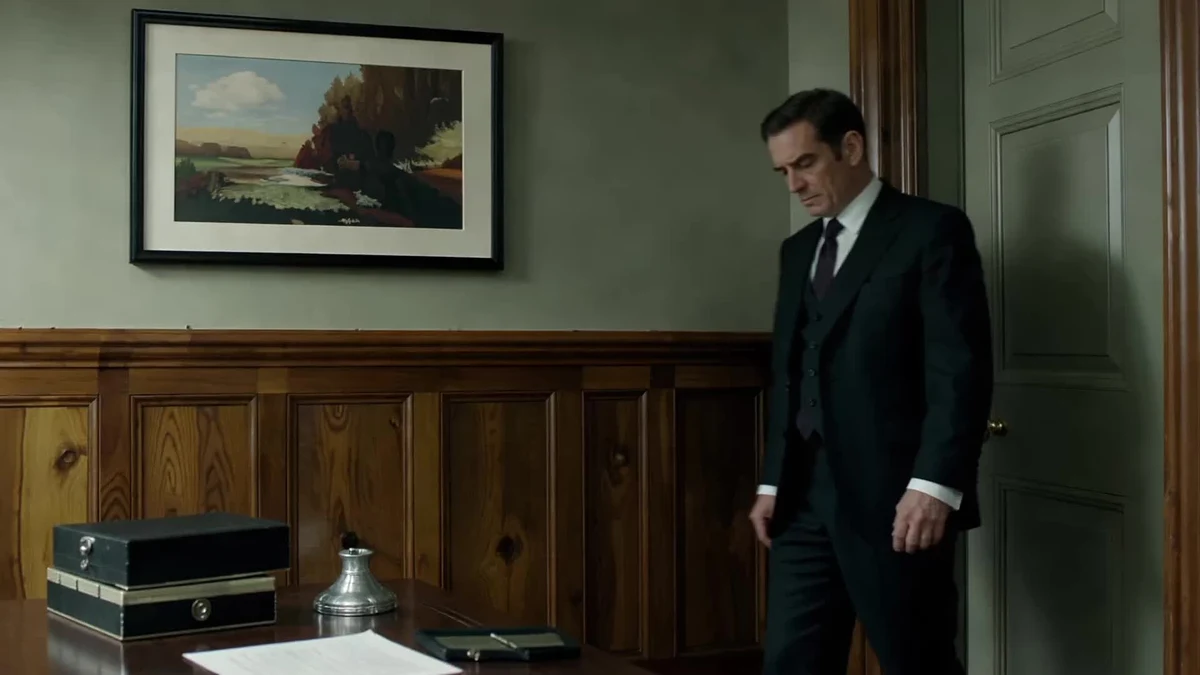
The opening shows an adult detective entering a study, noticing an envelope and then turning toward a sound at the door. Finish on a steady frame so the player has a sensible moment to display the choice overlay. Use short labels that describe actions, not vague “Option A” and “Option B.”
Official Seedance detective-demo poster used as a story reference. The pictured video is not itself an interactive player.
| File | Visible action | Continuity rule |
|---|---|---|
| Opening | Detective sees desk and door | Establish both possible destinations |
| Branch A | Detective inspects the envelope | Same suit, desk and light direction |
| Branch B | Detective moves to the door | Same room and starting posture |
3. Generate one branch at a time
Open the interactive-video workspace. Use a consistent reference image, model, ratio and lighting description. Keep filenames separate from the model’s task IDs so you can reconnect them later.
Branch A of a mystery story. An adult detective wearing a dark suit stands beside a wooden desk in a dim study. The detective slowly picks up a sealed envelope and examines its unmarked back. Warm desk-lamp light from the right. Medium shot, restrained movement, one continuous take. Keep the room and costume consistent with the reference.
For Branch B, change the action to “turns toward the closed door and takes one cautious step.” Do not ask the model to draw buttons, readable clue text or branching code. Put any essential clue wording into an editor graphic so you can control it exactly.
4. Assemble the choice in a player
Export all three files with the same dimensions and compatible encoding. Upload them to your chosen interactive platform. Configure the opening’s decision time, button labels, destinations and what happens if the viewer makes no choice. Choose a replay or restart behavior deliberately; a dead end should not look like a broken video.
If your platform supports preloading, test it on mobile data as well as Wi-Fi. Provide captions for important spoken or sound-only clues. Make buttons large enough to use on a phone and verify keyboard navigation when the player supports it.
5. Test every path
Play the opening, select A, restart, then select B. Repeat without choosing anything. Check whether the next clip starts in a believable position, whether the overlay hides the clue, and whether a delayed tap triggers two transitions. Test landscape and portrait layouts separately.
If a branch begins with the character in the wrong position, change its first shot to a neutral detail—such as the desk lamp—before revealing the action. Fix the edit or player configuration before spending credits on another generation. This workflow produces branch footage; it does not automatically build or host the interactive experience.
Fuentes y verificación
- Seedance — official demos ↗ · comprobado 2026-11-05
- MiniMax — text-to-video API documentation ↗ · comprobado 2026-11-05
- Volcengine — video generation API documentation ↗ · comprobado 2026-11-05
Los detalles pueden cambiar. Verificar fuentes es distinto de probar el producto.