 aigenerator
Create your AI vlogger: from character profile to a first daily vlog
Start an AI vlogger series with one reusable character. This guide uses a quiet weekend café visit to take you from a saved profile and portrait to a daily outfit, location and continuous vlog shot. Finish your first clip with a clear plan for the next episode.
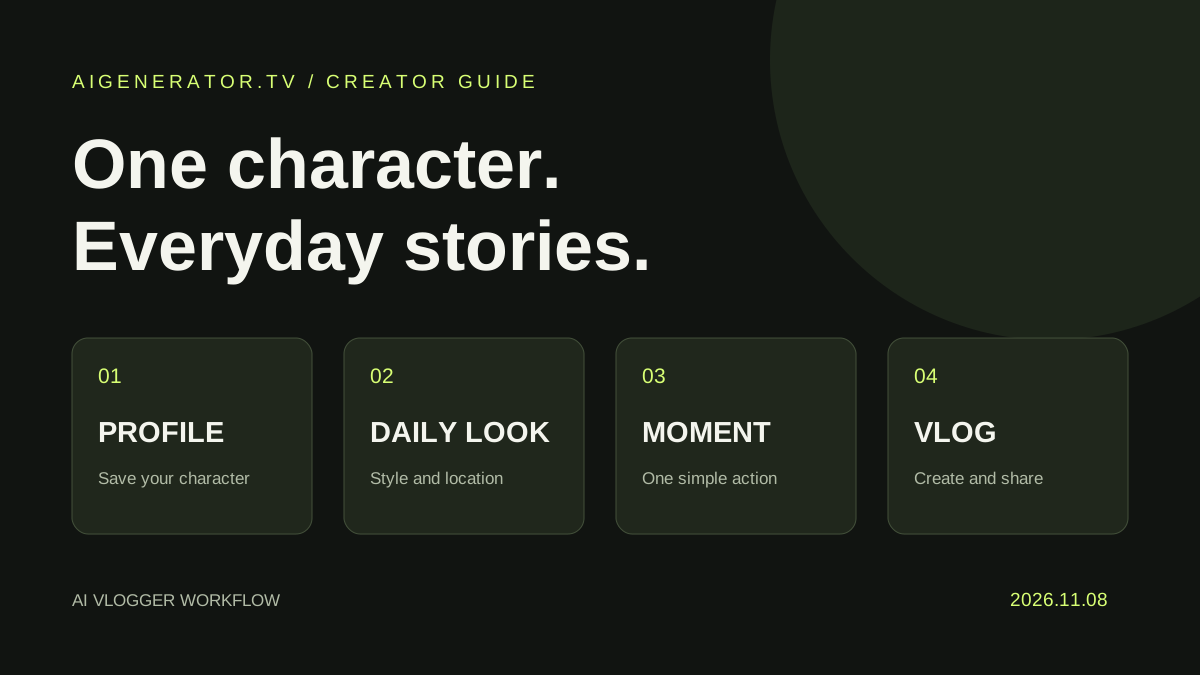
Start an AI vlogger series with one reusable character. This guide uses a quiet weekend café visit to take you from a saved profile and portrait to a daily outfit, location and continuous vlog shot. Finish your first clip with a clear plan for the next episode.
1. Give viewers a character to remember
Build the series around a person with a recognizable interest: city walks, outfit diaries or café discoveries. For this project, use an adult illustrator who notices small details and shares relaxed weekend moments.
Open the AI Vlogger workspace. Create a character or choose a saved one. Keep stable information in the profile: name, adult age, appearance, personality, background and speaking style. Put today's clothes and destination in the daily settings instead.
| Layer | Café example | Reuse in the next clip |
|---|---|---|
| Identity | A 28-year-old illustrator with shoulder-length black hair | Keep the profile and portrait |
| Personality | Warm, observant, curious about city details | Keep the narrative voice |
| Daily look | Beige cardigan, dark trousers, white sneakers | Change for the episode |
| Location | A window-side wooden table in a corner café | Swap for a bookstore or street |
| Moment | Set down a cup, look outside, smile | Pick one small action per clip |
2. Save a useful portrait and profile
Generate or upload a clear portrait, review the profile and save the character. Use even lighting, a readable face and an unobstructed hairstyle. Work with an original character or reference material you have permission to use.
A useful starting profile is: “Lin An, an adult illustrator aged 28, with shoulder-length black hair, brown eyes and natural makeup. Warm and curious, she enjoys weekend walks and quiet cafés. Her voice is brief and relaxed, often noticing color, light and little street-side details.”
For later episodes, choose this saved profile instead of building the identity again. If the appearance drifts, first check the clarity of the portrait and remove conflicting descriptions.
3. Set the theme with today's details
Fill in location, outfit, shoes and the accessories or props that matter. For the café clip, a beige cardigan, white sneakers and a white coffee cup are enough. Leave unnecessary accessories empty. Add reference images for details that need a clear visual explanation.
Describe the setting through space and light: “corner café, wooden table by a large window, soft afternoon side light.” Keep the action in this location. A quiet table scene does not need a running sequence, costume change and night exterior in the same clip.
4. Write a continuous everyday moment
Name the project “Lin An's Weekend Café Diary 01.” In the description, state the action order, camera distance and lighting. Paste this prompt and adapt the clothes or setting to your own character:
A quiet afternoon café vlog featuring the saved adult character. She wears a beige cardigan, dark trousers and white sneakers, seated at a wooden table beside a large window. She gently places a white coffee cup on the table, glances outside, then turns back with a small relaxed smile. Medium shot at eye level, soft window light, natural expression, restrained movement, a steady camera and one continuous take. Keep the character's facial features and hairstyle aligned with the portrait reference. No scene change, no outfit change, no text overlay.
Dialogue is optional. Begin with a visual moment and add a short caption or voiceover in your editor. If you include dialogue, use one brief line, such as “Today, I'm making a little room to slow down,” and review the generated audio and lip movement for your selected model.
5. Generate one shot and review it
Choose a model that supports image references, then select a supported duration and aspect ratio. Use an available 9:16 option for vertical publishing; when the model follows the reference image ratio, prepare that composition first. Start with one short supported clip and review its displayed credit cost before submitting.
Review identity, motion and continuity in that order. Does the face resemble the portrait? Does the cup placement feel natural? Do clothes, background and lighting remain coherent? If the hand action is awkward, simplify it to resting the hand near the table and looking out of the window.
Change one major variable at a time: action, portrait or camera distance. Keep a promising version so you can compare the effect of the next edit.
6. Turn the result into a recurring series
Download the clip and watch it on a phone. Check facial detail, framing and pacing. Add a short title or captions in your editor and use music you have rights to publish. Review the destination account, caption and platform AI-content labeling before sharing.
For the next episode, reuse the saved character and move to browsing art books or waiting on a rainy street. A café, bookstore and neighborhood walk make a simple three-part series. Save prompts, references and finished versions as a reusable content library for this vlogger.
Fuentes y verificación
- aigenerator.tv — AI Vlogger ↗ · comprobado 2026-11-08
- aigenerator.tv — video model catalog ↗ · comprobado 2026-11-08
Los detalles pueden cambiar. Verificar fuentes es distinto de probar el producto.